Now taking names for the first Québec pilots
A machine breaks. Someone scans it. You know.
Ocubee puts a QR label on every machine you look after. Anyone can scan it and report a problem, with no app and no account. You get the right machine, its location and the details in one inbox.
We come to you and put the labels on your first five machines. Asking commits you to nothing.
Dryer 6
Sample Laundry
A problem? Scan this code.
When a machine breaks, you’re often the last to know.
-
It sits there, earning nothing
A dryer that stops on Friday can stay down until someone happens to notice. Plenty of people won’t call. They just try the next machine, or go somewhere else.
-
You hear about it the hard way
A bad online review, an annoyed call to your cell, or your own next visit to the site.
-
Then you play twenty questions
Which machine? Which location? What’s actually wrong? Every report starts by working that out.
Ocubee doesn’t fix the machine. It tells you which one, where and what’s wrong, while you can still do something about it.
How it works
One report, from the label to the answer.
-
Label each machine
Print one QR label per machine and stick it where people can see it. Five machines is enough to start.
-
Anyone scans it
The form already knows the machine. They pick what’s wrong and add a photo if it helps.
-
Your team gets it
It lands in your inbox with the machine and the location. Acknowledge it and assign someone.
-
They hear back
A private link shows where things stand, so nobody has to call to find out.
-
No app, no account
People at the machine don’t sign up for anything.
-
French and English
Everyone uses Ocubee in their own language.
-
Public label, private reports
A label opens the form. It never shows past reports, names or photos.
-
Nothing to migrate
It sits beside the tools you already use for scheduling and billing.
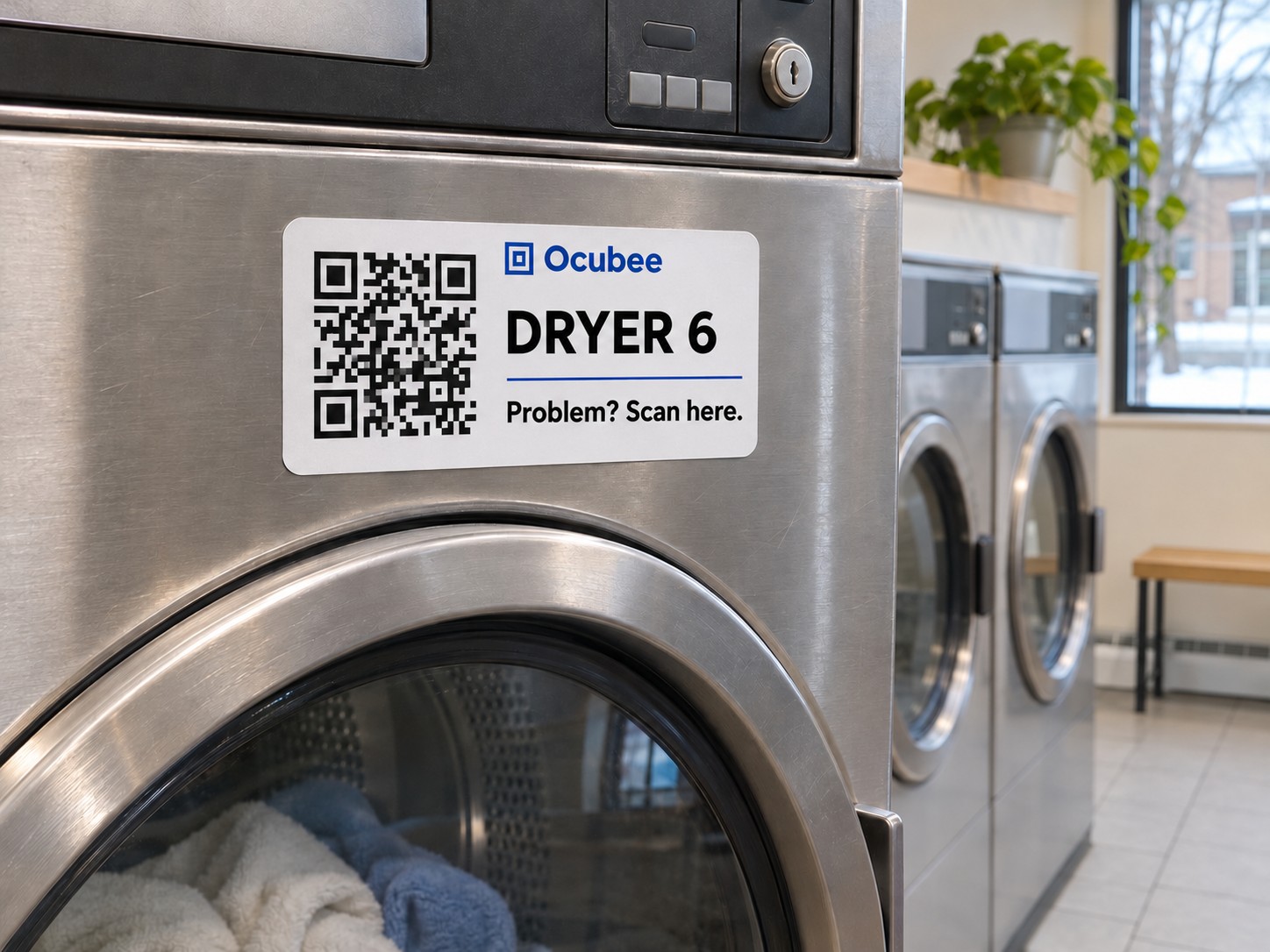
Don’t take our word for it.
Scan the code with your phone, or open the demo here. You’ll see what the person at the machine sees, what lands in your inbox, and how they hear back.
Sample data. Nothing is sent or saved.
Who it’s for
Made for the kind of machines you look after.
Pick your business. Each version comes with its own machines, the problem choices people see on the form and the details that business needs. The label, the inbox and the price are the same for everyone.
- Who it’s for
- Companies that repair coffee and foodservice equipment at their customers’ sites.
- Who reports problems
- Café and kitchen staff at your customers’ sites.
- Machines ready to add
- Espresso machine, grinder, brewer, ice machine, oven, dishwasher, refrigeration
- What people can pick on the form
-
- Will not start
- Temperature issue
- Leaking
- Unusual noise
- Something else
- Made for this business
- Each machine belongs to a customer and one of their sites, with its make, model and serial number for the technician.
- Not included
- Appointment booking, parts inventory and repair invoices.
- Who it’s for
- Independent gym owners and managers.
- Who reports problems
- Members and staff.
- Machines ready to add
- Treadmill, exercise bike, cable machine, strength machine
- What people can pick on the form
-
- Will not start
- Movement issue
- Damaged part
- Unusual noise
- Something else
- Made for this business
- Post a notice on a machine, such as a part on order, without showing anyone’s report. An outside repairer can be invited to see only their own jobs.
- Not included
- Memberships, door access and workout tracking.
- Who it’s for
- Laundromat and shared-laundry operators.
- Who reports problems
- Customers and attendants.
- Machines ready to add
- Washer, dryer, payment kiosk
- What people can pick on the form
-
- Will not start
- Will not drain
- Not heating
- Door issue
- Problem with a purchase
- Something else
- Made for this business
- Machines go by the number on the front, like Dryer 6. Customers can say how much a failed cycle cost them.
- Not included
- Refunds, card payments and remote machine control.
- Who it’s for
- Operators with machines across host sites.
- Who reports problems
- Customers and staff at the host sites.
- Machines ready to add
- Snack machine, drink machine, dispenser
- What people can pick on the form
-
- Product jammed
- Machine is empty
- Problem with a purchase
- Screen issue
- Temperature issue
- Something else
- Made for this business
- Customers can add the selection code and what they paid, so a jam or a failed sale makes sense. Each host site can be linked to the business that hosts it.
- Not included
- Refunds, stock tracking and route planning.
For every business: QR labels, reporting with no app or account, one inbox, a private follow-up link, French and English, and the same price.
Pricing
You pay for machines. Nothing else.
Reporting is always free. Your whole team and all your locations are included.
-
Small
Up to 25 active machines
$29
USD per month
or $290 USD per year, two months free
1 GB of photo storage
Join the pilot -
Business
Up to 100 active machines
$79
USD per month
or $790 USD per year, two months free
3 GB of photo storage
Join the pilot -
Fleet
Up to 300 active machines
$149
USD per month
or $1,490 USD per year, two months free
9 GB of photo storage
Join the pilot
Planned launch prices. They may change during the pilots. Once signup opens, plans start with a 14-day trial that requires a card. More than 300 machines? Ask for a quote.
To fill in · P10
Currency and taxes
Decide between USD and CAD for Québec and how taxes are shown, then update the prices and remove this block from resources/views/welcome.blade.php.
Questions owners ask.
What does a pilot involve?
We come to you, label about five machines and set up your inbox. After 30 days we sit down together and look at whether it was worth it.
To fill in · P13
What the pilot costs
Decide the pilot’s price and length, then add them to the answer to this question.
What if nobody scans the label?
Then you’re no worse off than today, and you’ll be able to see it. Labels work best at eye level, where people stand when something goes wrong. During the pilots we look at the real numbers with you.
Do people really need no app and no account?
Right. The label opens a web page in the phone’s browser. They pick what’s wrong and send it. A photo and their contact details are optional.
Who prints the labels? Will they last?
During the pilots, we bring them and stick them on ourselves. After that, you can print them from Ocubee on an ordinary A4 or Letter sheet.
To fill in · P11
Which label material holds up
Test a label on a real washer and dryer for a few weeks, then write down what lasted in the answer to this question.
Can I keep my phone number on the machine?
Yes. Ocubee sits beside what you do today, and you can keep both. If reporting is ever unavailable, the label’s page shows the contact details you choose.
Does it replace my scheduling or billing software?
No. Ocubee takes in the problem and keeps the person informed. It doesn’t do booking, invoices, parts inventory or refunds, and there’s nothing to migrate.
What about my customers’ information?
A label never shows past reports, names or photos. Contact details are optional and are removed 90 days after a report closes, and photos after 180 days.
Can I cancel?
Yes, once signup opens. Reporting stays on for seven days after you cancel, then you have 180 days to read and export your records before they’re deleted.
I’m not in Québec. Can I still use it?
The first pilots are in person in Québec, so that’s where we start. Write to us anyway and we’ll tell you when signup opens.
To fill in · P03
Your photo
Who’s behind Ocubee
I’m building Ocubee in Québec and I set up the first pilots myself, in person. If you have a question, you’ll be talking to me.
P02 · Your name and title
To fill in · P12
Your first real pilot result
With the customer’s permission: their name, what happened and a sentence from them. Until you have one, remove this block rather than inventing one.
Put a label on it.
We’re setting up the first pilots in person in Québec, about five machines at a time.